Your brokerage name on every page your agents publish.
Reclearly gives a brokerage one system for its agents' client portals and websites. Every agent website prints your brokerage name on every page and will not publish without it, and one setting puts your logo on every agent's client portals.
Updated
"All internet advertising of real estate services as defined in section 4735.01 of the Revised Code shall disclose the name of the brokerage on every viewable web page of the website."
Paragraph (B) adds that the brokerage name shows at least as prominently as the agent's name, websites included.
Read the full rule at codes.ohio.govWhat the rule asks, and what Reclearly does about it.
Ohio puts the duty on the licensee and the brokerage they work under. Here are the three paragraphs that reach an agent's website, and where the work sits.
-
Paragraph (B)
The rule asks for
The brokerage name shown at least as prominently as the agent's name in all advertising the agent or brokerage owns or controls, websites included.
Reclearly Built in
All three website designs set the brokerage name beside the agent's name in the header, and print it again in the footer under every page.
-
Paragraph (D)
The rule asks for
The brokerage name on every viewable page of a website that advertises real estate services.
Reclearly Built in
A footer the agent cannot edit or remove prints the brokerage name, the license number when there is one, and the Equal Housing statement on every page. A site with no brokerage name entered will not publish.
-
Paragraph (E)
The rule asks for
Outdated information corrected within 14 days, and the date the site was last updated shown on it.
Reclearly On your agents today
Agent websites do not print a last updated date on their own today. Your agents keep their pages current and dated.
A summary for orientation, not legal advice. The rule also covers name identification, trade names and other brokerages' listings; read it in full. Every agent site also carries the Equal Housing logo and statement, and a listing disclaimer whenever it shows listings. See how a site works on the agent websites page.
One brokerage field feeds every page a client opens.
Each agent enters the brokerage once, in their settings. Their client portals print it under their name, their public market page prints it in the header, and their website prints it on every page. The three read the same field, so they cannot disagree with each other.
When an agent joins you from another firm, that one change moves every page to your name.
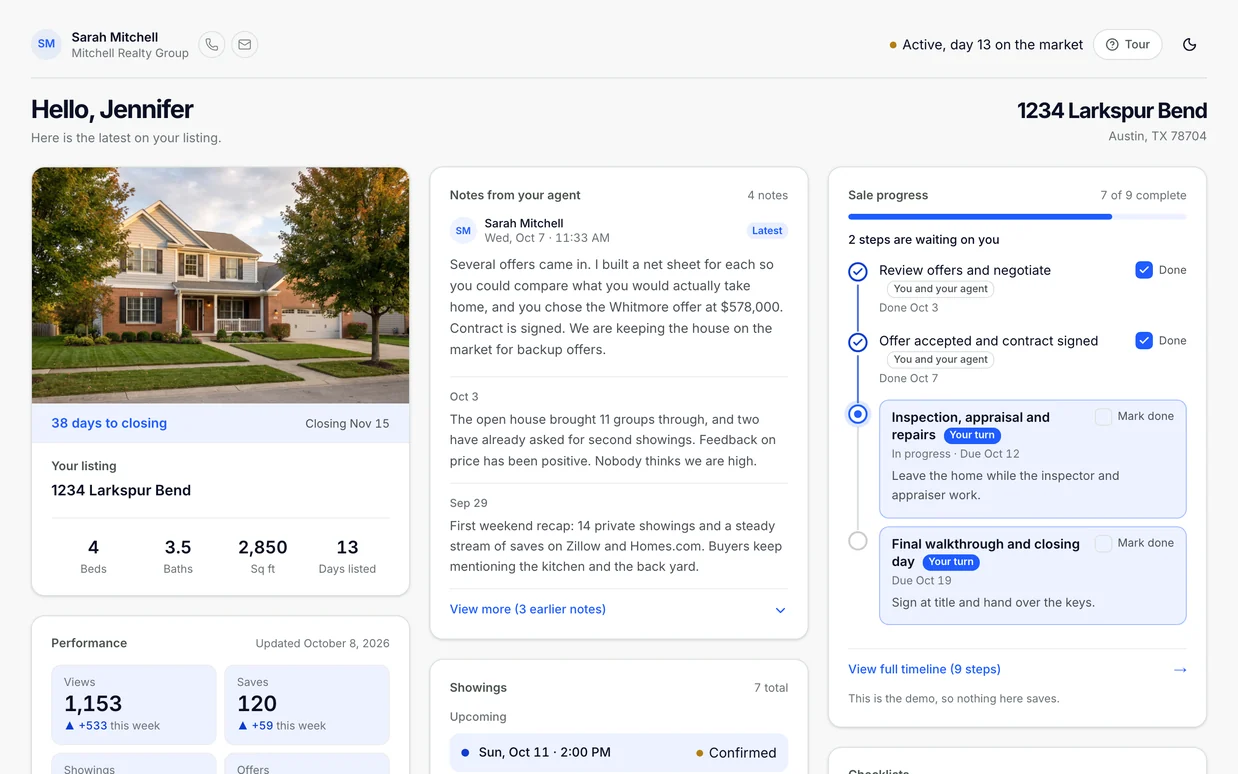
Set the brand once. On Required, agents cannot switch it off.
Team branding has three modes, and only an owner or admin can change it. On Required, the brokerage logo appears on every agent's client portals, beside the agent's own photo and name.
Every surface a client sees, on the white label page"Nobody's portals show the team logo."
The app's own description of Off
- Brokerage logo on portals
- Not shown
- Portal color
- Each agent's own
- Agent can turn it off
- Nothing to turn off
"Each teammate decides whether the team logo appears on their portals."
The app's own description of Optional
- Brokerage logo on portals
- Agent's choice, on by default
- Portal color
- Each agent's own
- Agent can turn it off
- Yes, in their branding settings
"Every teammate's portals show the team logo, and the team color if one is set."
The app's own description of Required
- Brokerage logo on portals
- On every agent's portals
- Portal color
- Brokerage color, when you set one
- Agent can turn it off
- No
Read the conversations your license answers for.
What an agent writes to a client, or to the agent on the other side, can become your problem. Reclearly lets you read it without stepping into the deal.
-
Client conversations, read only
Messages has a team view that lists every agent's conversations with their clients. You cannot send from it, and nothing you open is marked read, so the agent's inbox stays as they left it.
-
Threads with the other agent
When one of your agents invites the agent on the other side of a sale, owners and admins can read and post in that thread from the Team page. Clients never see it.
-
Sides kept apart
An agent of yours invited onto a teammate's sale as the other side cannot read that sale's client conversations, though they still read the rest as a teammate.
Four roles, and your admins decide who holds which.
- Owner
- The account holder. Nobody can be invited into the role or moved into it from the roster.
- Admin
- Invites agents by email, changes roles, sets the branding mode, and reads and posts in threads with other agents.
- Member
- Works their own listings, buyers and leads.
- Transaction coordinator
- Coordinates paperwork on the team's deals.
Agents join by an email invitation with the role already set. Every agent keeps their own listings, buyers and portals, and every listing and buyer carries a required documents checklist that starts from Ohio defaults.
A team answers to its lead. A brokerage answers to the state.
A team is one lead and the agents who work under them, and the lead cares most that every client gets the same experience. A brokerage has a broker of record whose license covers every agent's advertising, often across several teams. Reclearly runs both on the same plan; this page is about the broker's side.
How Reclearly works for a teamWhat a brokerage pays today
$149
a month on the Team plan, with 6 seats included
$10
a month for each seat after 6, with no cap on headcount
For a full brokerage roster, tell us how many agents you have and which states you work in, and we will talk through pricing. Plan details are on the pricing page.
Talk to usQuestions brokers ask first.
What does Ohio require on a real estate agent's website?
Ohio Administrative Code 1301:5-1-02 asks for three things on a website an agent or brokerage owns or controls: the brokerage name on every viewable page (paragraph D), the brokerage name at least as prominent as the agent's name (paragraph B), and the date the site was last updated, with outdated information fixed within 14 days (paragraph E). This is a summary, not legal advice; read the full rule at codes.ohio.gov.
Does every Reclearly agent website show our brokerage name?
Yes, on every page. The brokerage name sits beside the agent's name in the header and again in a footer the agent cannot edit or remove, with the license number and the Equal Housing statement. A site with no brokerage name will not publish. Reclearly sites do not print a last updated date on their own today, so that part of the rule stays with your agents.
Can an agent remove our logo from their client portals?
Not when an owner or admin sets team branding to Required. Every agent's portals then show the brokerage logo, and the brokerage color if you set one. On Optional, each agent chooses. Only an owner or admin can change the mode.
Can I read my agents' client conversations?
Yes, read only. Messages has a team view that lists every agent's conversations with their clients. You cannot send from it, and nothing you open is marked read. Everyone on the roster has this view, not only admins. An agent invited onto a teammate's sale as the other side cannot read that sale's client conversations.
Does Reclearly replace our transaction management or file review system?
No. Each agent's listings and buyers carry a required documents checklist that starts from Ohio defaults, and an agent can tick a document done when the file lives in your brokerage system instead. There is no broker view of every agent's checklist today.
Can each office have its own roster?
Not today. A brokerage runs as one organization with one roster, one brand and one set of roles. If you run several offices, tell us how they are set up.
How is this different from the Team plan?
It is the same plan. Team is $149 a month with 6 seats included and $10 a month for each seat after that, with no cap on headcount. This page covers what a broker of record answers for; the teams page covers how a team lead runs their agents. For a full brokerage roster, talk to us about pricing.
Keep reading
Tell us about your roster.
How many agents, how many offices, and which states. We will show you how the brokerage name, the brand and the roles would be set up for you.