“Any news?” at 9pm, again.
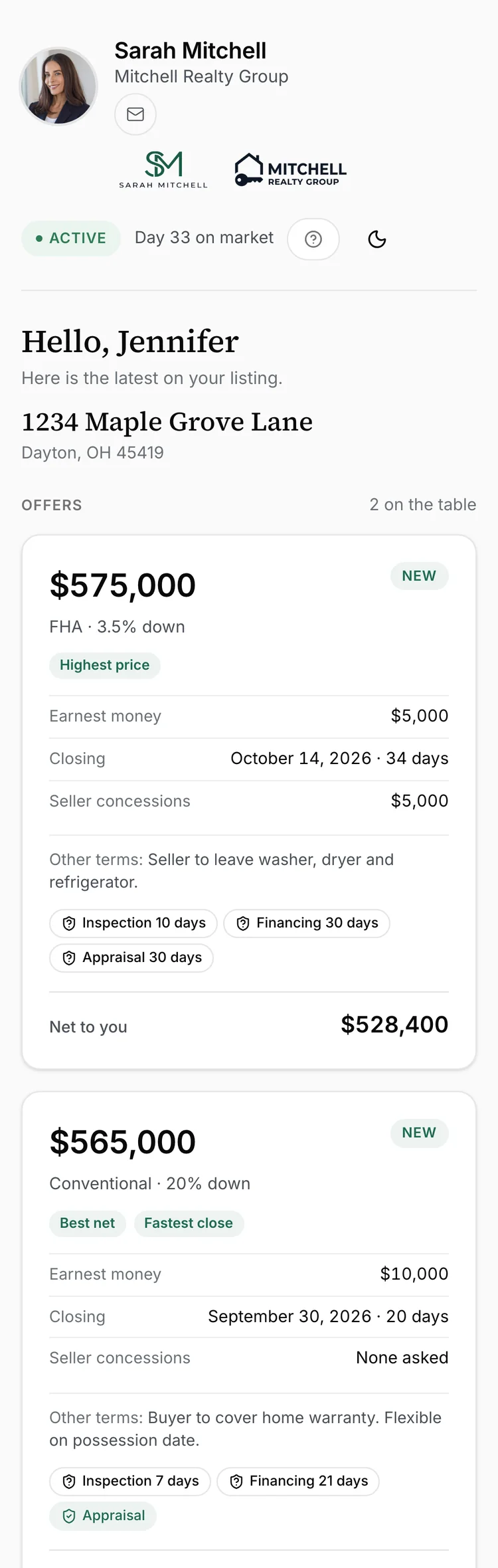
Sellers text because they cannot see. The seller portal shows every offer, showing and piece of feedback the moment it lands, under your name.
Seller portal

Every offer, showing, deadline, document and message in one portal under your name, so nobody has to ask where things stand.

 Keller Williams
 RE/MAX
 Coldwell Banker
 eXp Realty
 Compass
 Century 21
 Berkshire Hathaway HomeServices
 Sotheby's International Realty
 Redfin
 Howard Hanna
 Weichert
 Better Homes and Gardens
 ERA
ERA Fathom Realty
 Real
Real United Real EstateKeller WilliamsRE/MAXColdwell BankereXp RealtyCompassCentury 21Berkshire Hathaway HomeServicesSotheby's International RealtyRedfinHoward HannaWeichertBetter Homes and GardensERAFathom RealtyRealUnited Real EstateKeller WilliamsRE/MAXColdwell BankereXp RealtyCompassCentury 21Berkshire Hathaway HomeServicesSotheby's International RealtyRedfinHoward HannaWeichertBetter Homes and GardensERAFathom RealtyRealUnited Real EstateKeller WilliamsRE/MAXColdwell BankereXp RealtyCompassCentury 21Berkshire Hathaway HomeServicesSotheby's International RealtyRedfinHoward HannaWeichertBetter Homes and GardensERAFathom RealtyRealUnited Real Estate
 A home sale runs on updates, and the updates live in ten places. Reclearly puts them in one, for everyone in the deal.
Sellers text because they cannot see. The seller portal shows every offer, showing and piece of feedback the moment it lands, under your name.
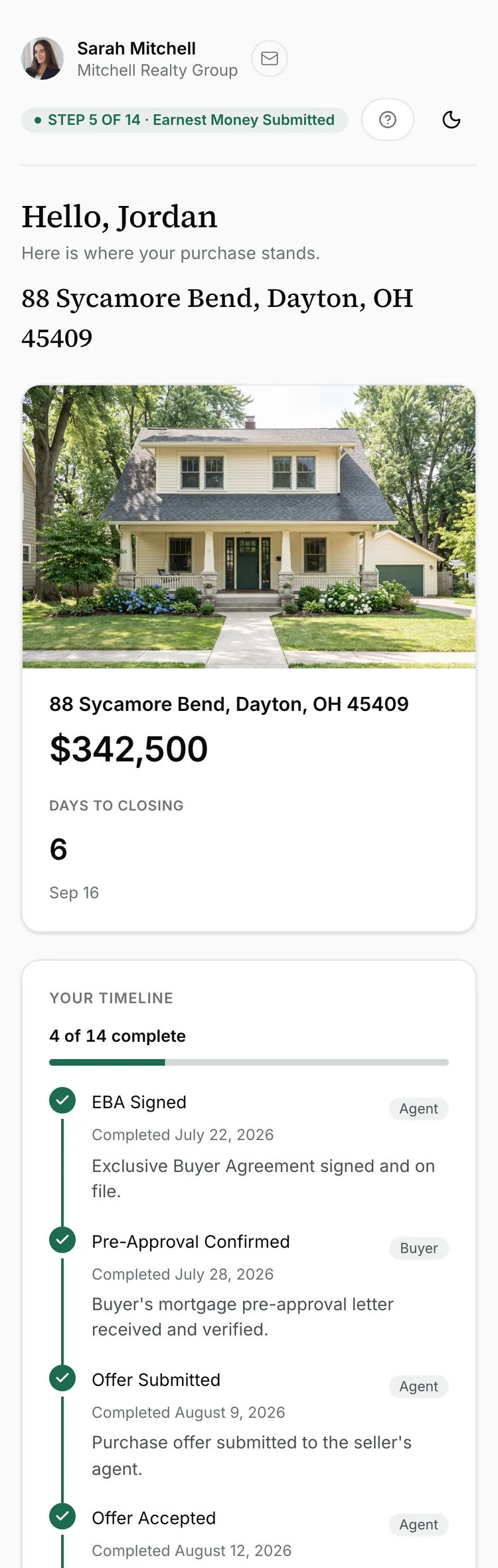
Seller portalBuyers are anxious about the part they cannot see. The buyer portal names the next step, who owes it, and what closing will actually cost.
Buyer portalShowings in one app, contracts in another, the client in your texts. One workspace holds listings, buyers, checklists, calendar, chat and leads, and files the updates for you.
Agent workspaceOffers, showing feedback, checklist, documents and messages, on one portal your client already has open.
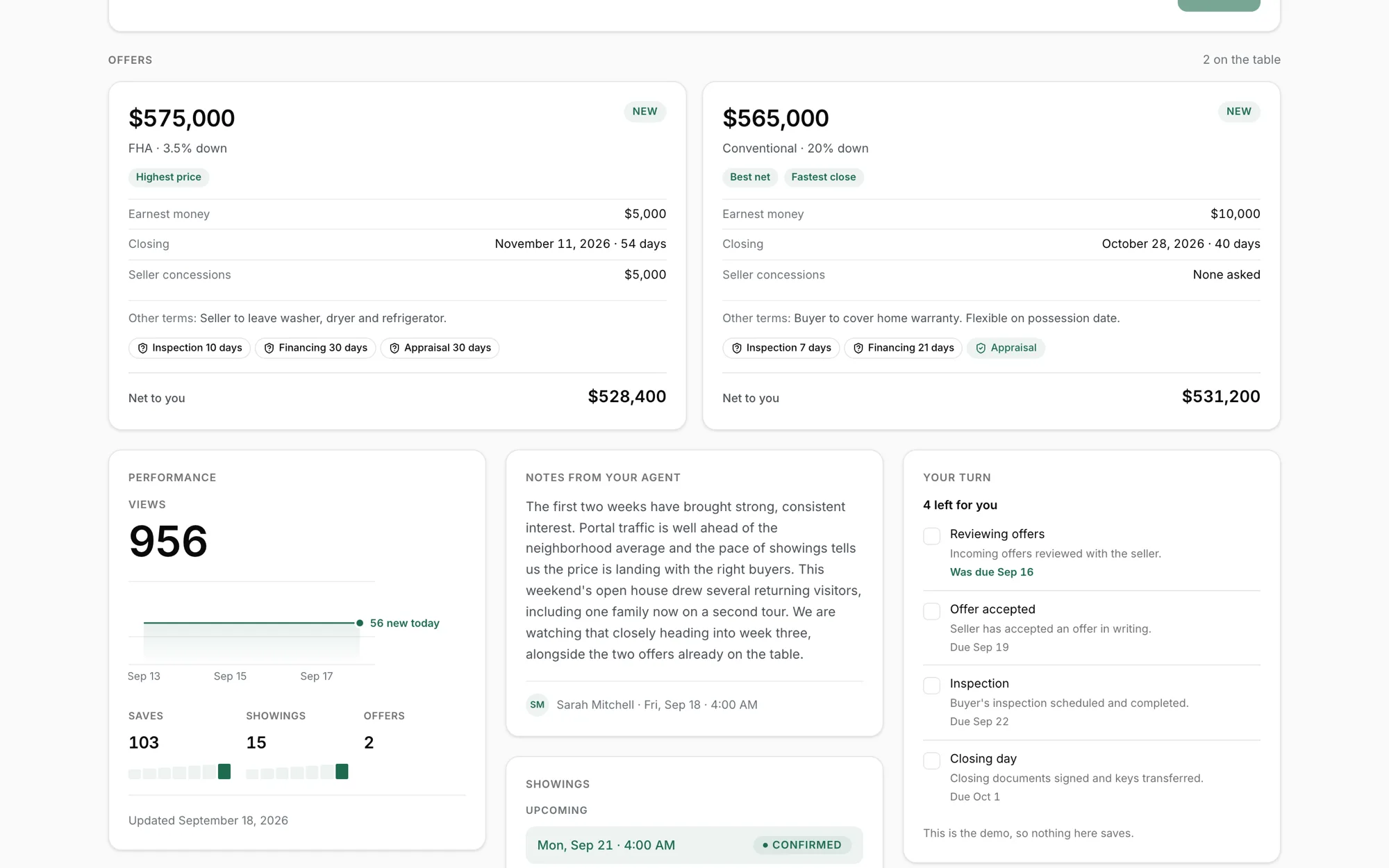
Every showing logged with the buyer agent's feedback, every open house sign in, and the listing's performance numbers, all on the portal the moment they land.
The next step is always named, with who owns it and a date. When it is the client's turn, the checklist you built once is already attached.
Upload the signed contract and the terms extract themselves: price, deadlines, contingencies and credits. The client reads the deal in plain words, and every number links back to the signed pages.
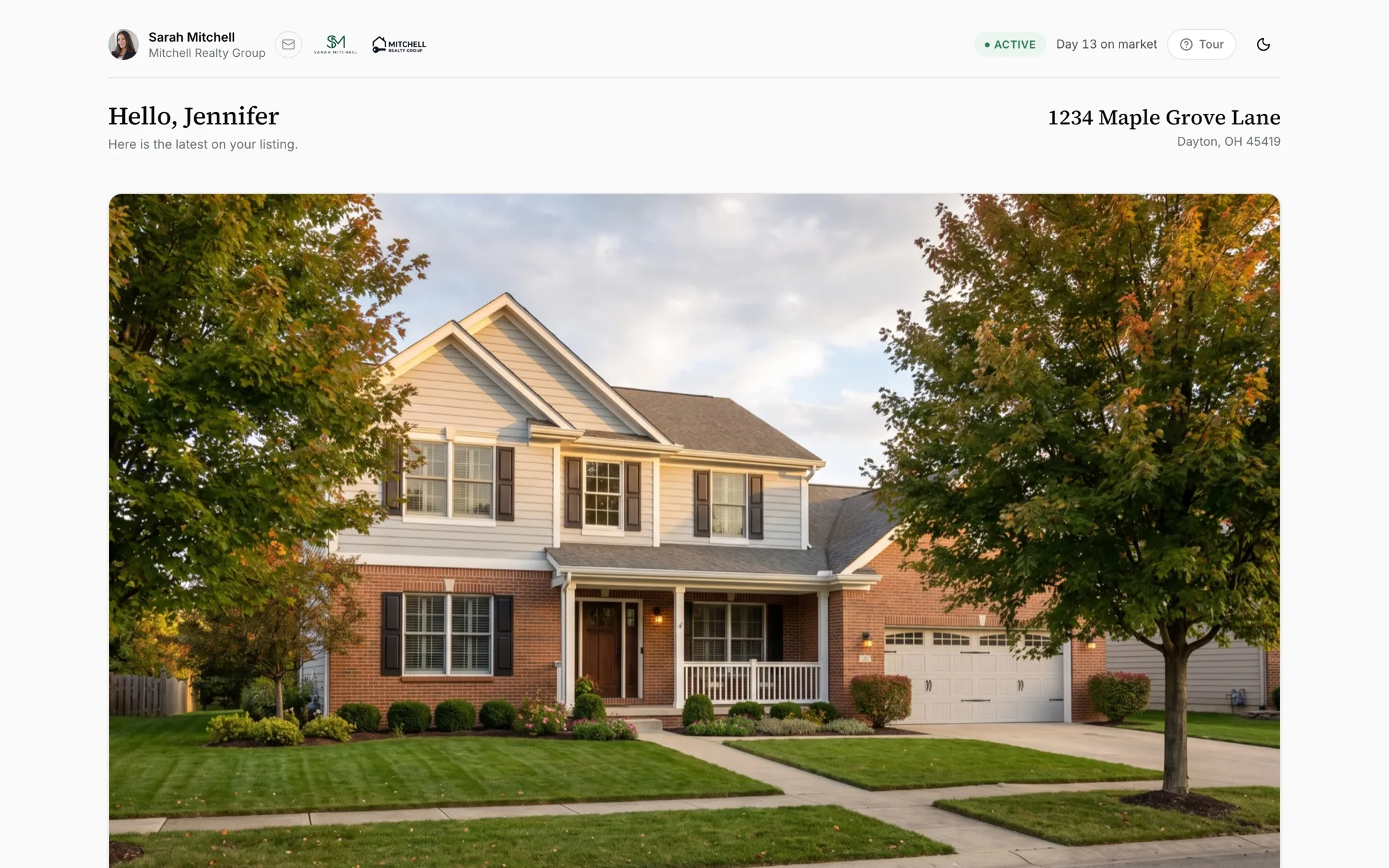
Everything a seller wants to know, on a private link under your name. No login, no app.
Drop in the offer PDF. The terms read themselves out of it and a seller net sheet builds instantly underneath, so the seller sees their real number without waiting on you to work it out.
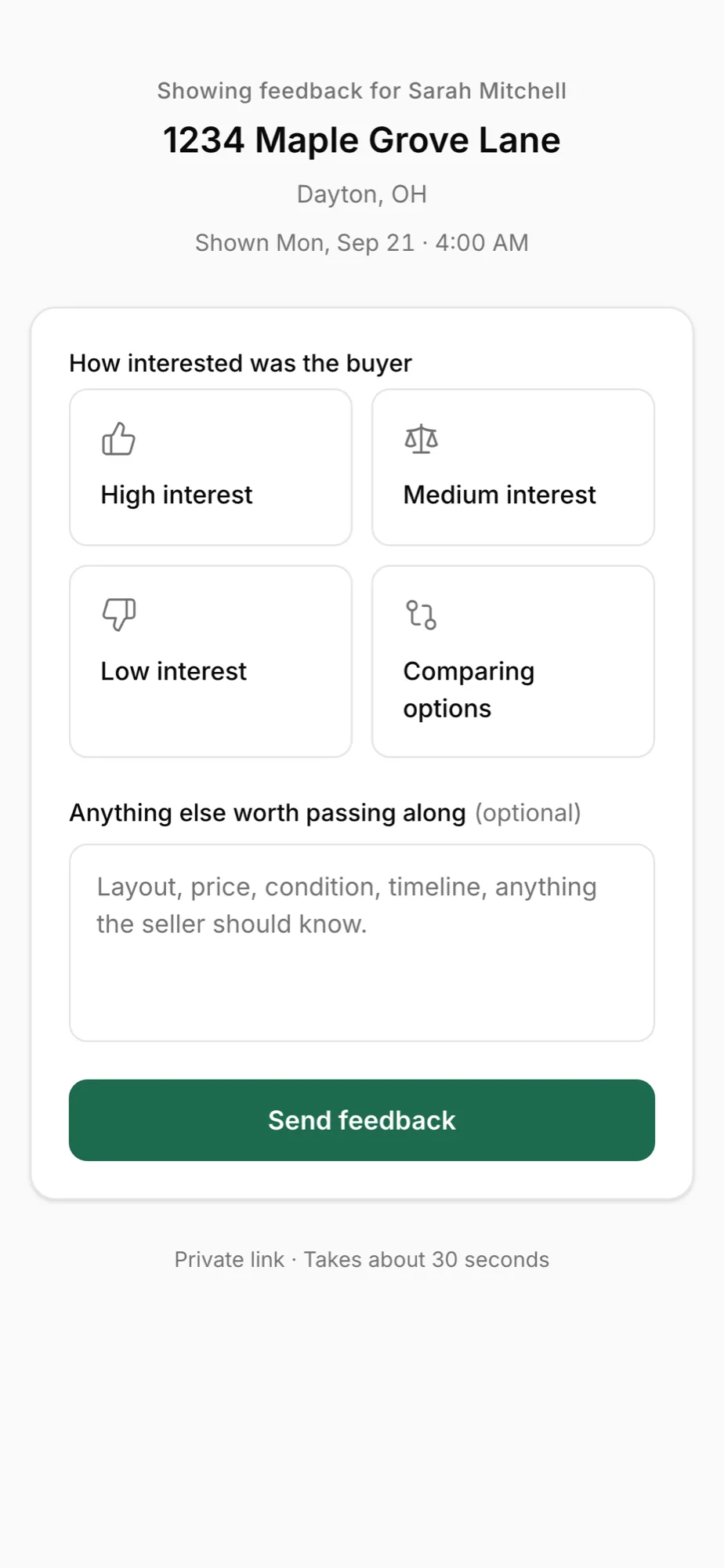
No chasing the buyer's agent. An hour after the showing ends the request goes out on its own. Thirty seconds, four taps, and the seller watches the answer land on their own portal.
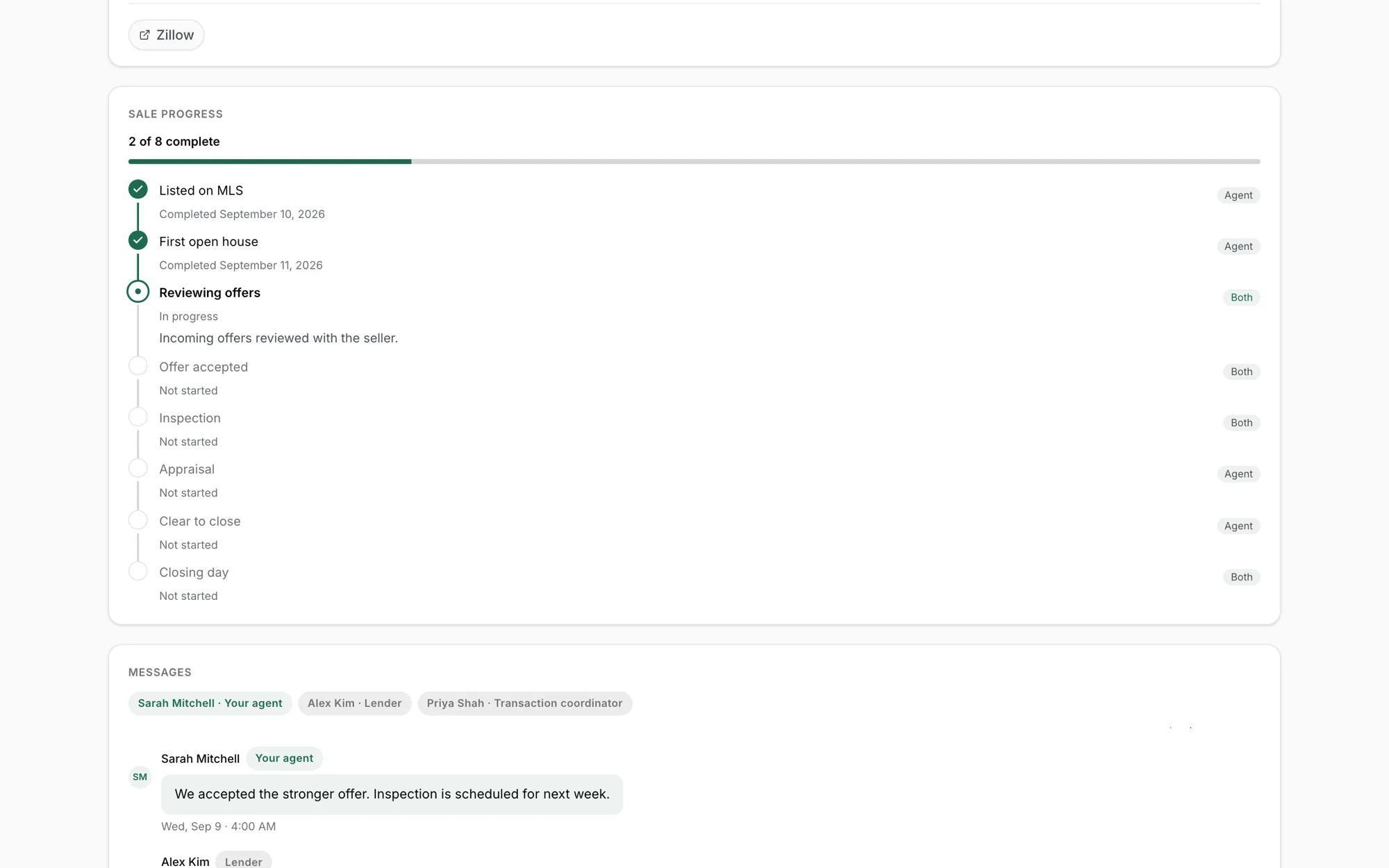
Nine steps, each tagged by owner, updated live. The seller sees what is done, what is next, and who is on it.
The seller opens one private link and finds the photos, the paperwork and the comps already there, so they stop asking you to resend the file from last month.
From accepted contract to keys, the buyer sees the plan, the deadlines and the money.
Upload the signed purchase agreement and every date computes itself: earnest money, inspection, appraisal, loan commitment, clear to close. Each one shows the rule it came from. You confirm it before the buyer sees a thing.
The portal separates what the buyer owes from what everyone else owes, so nothing sits ambiguous and they stop texting you to find out.
Attach a checklist and it lands on the buyer's own portal, in order, with a date on every item and a tag saying whose move each step is. A first time buyer gets guided instead of told to keep up.
Lender, title and inspector with their contact details on the portal, so the buyer stops calling you to ask who to call.
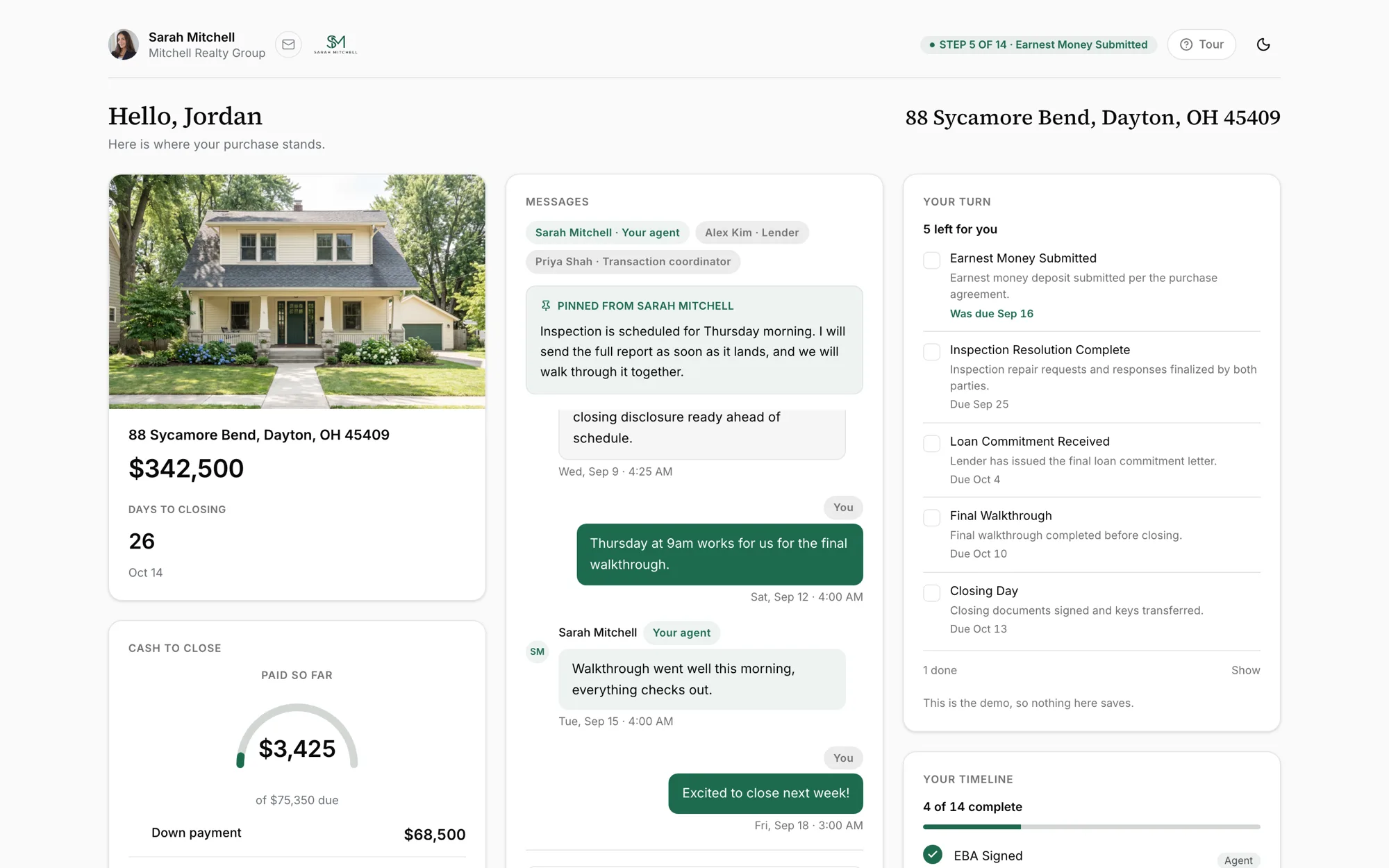
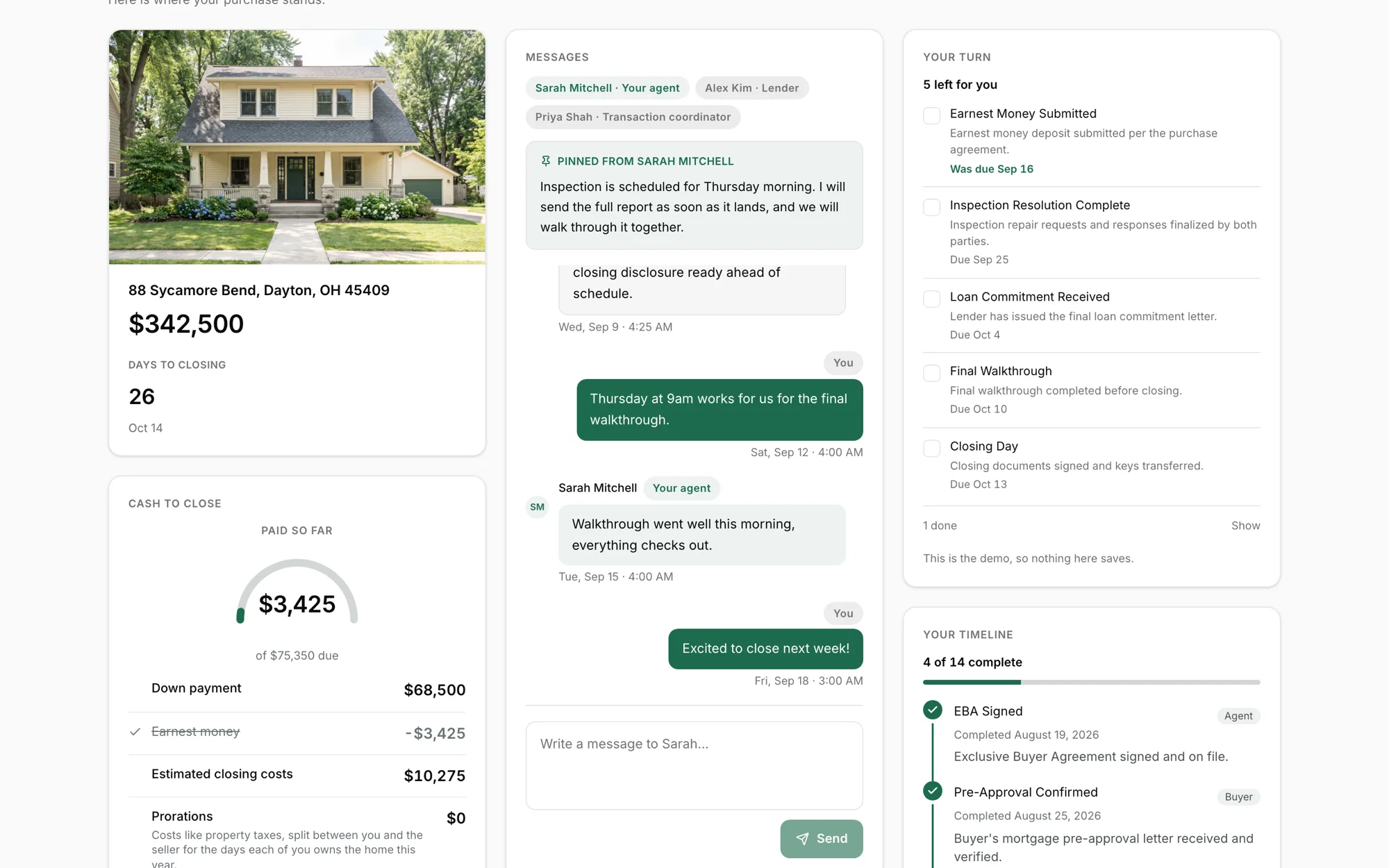
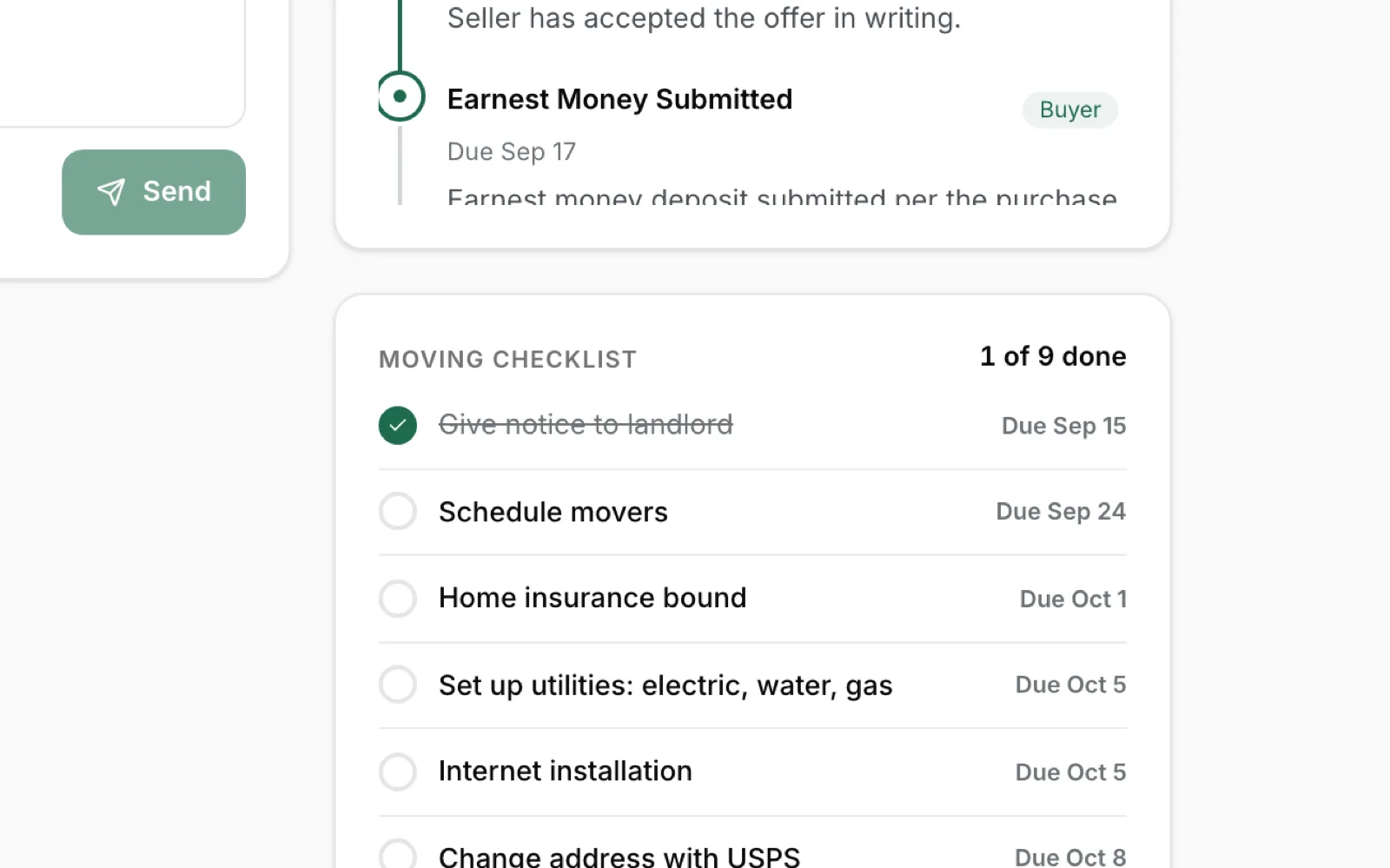

Offers read themselves, showings file themselves, deadlines compute themselves. What your client sees stays current because you did the work, not because you remembered to update them.
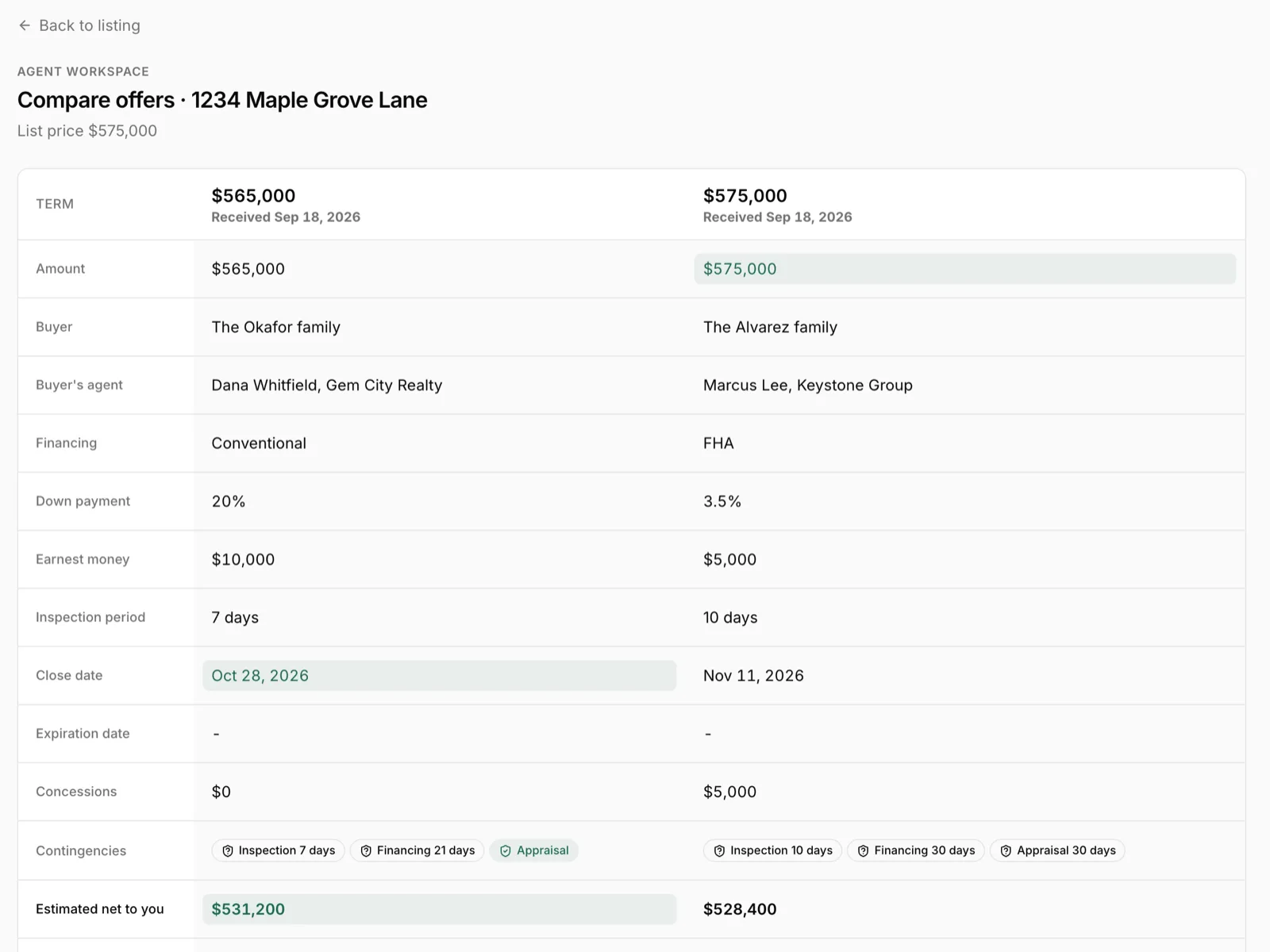
Upload the offer PDFs. Terms extract themselves and every offer gets a seller net sheet, so price talks start from the real number.
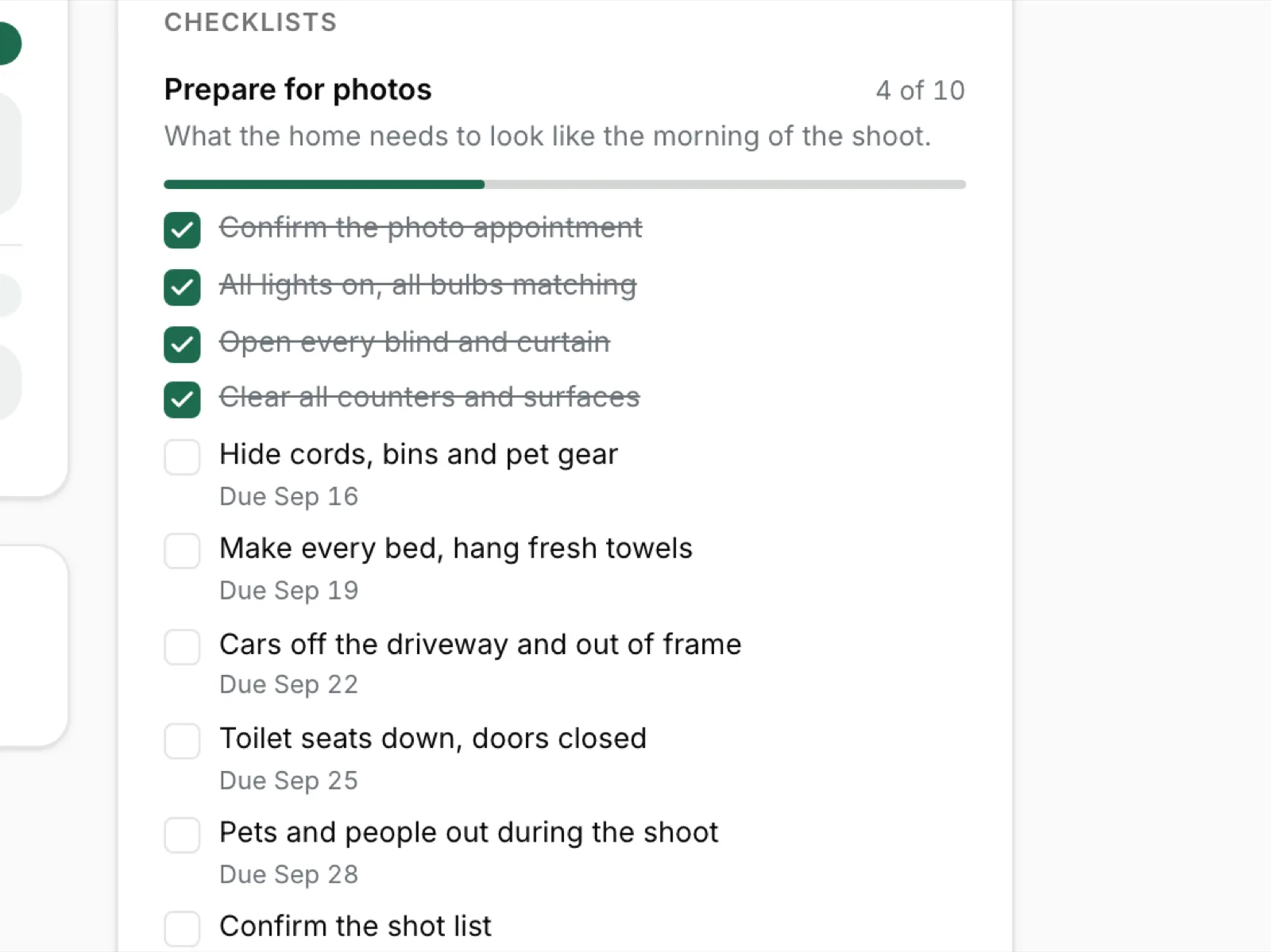
A closing checklist you save as your own template. Each step tagged by who owns it, and the client sees the ones you choose.
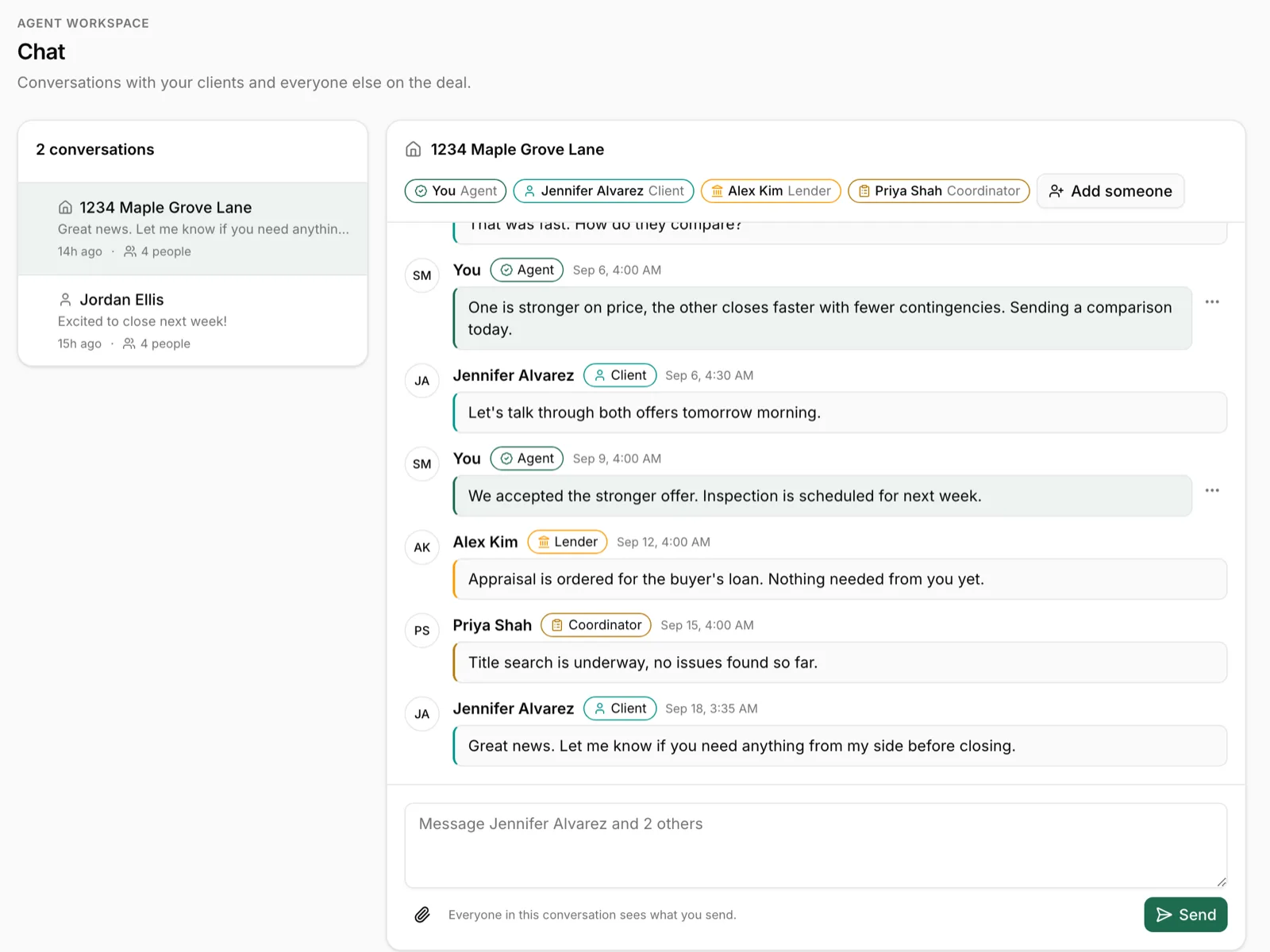
Two way messages on the same screen the client already opens. Nothing to install, no login.
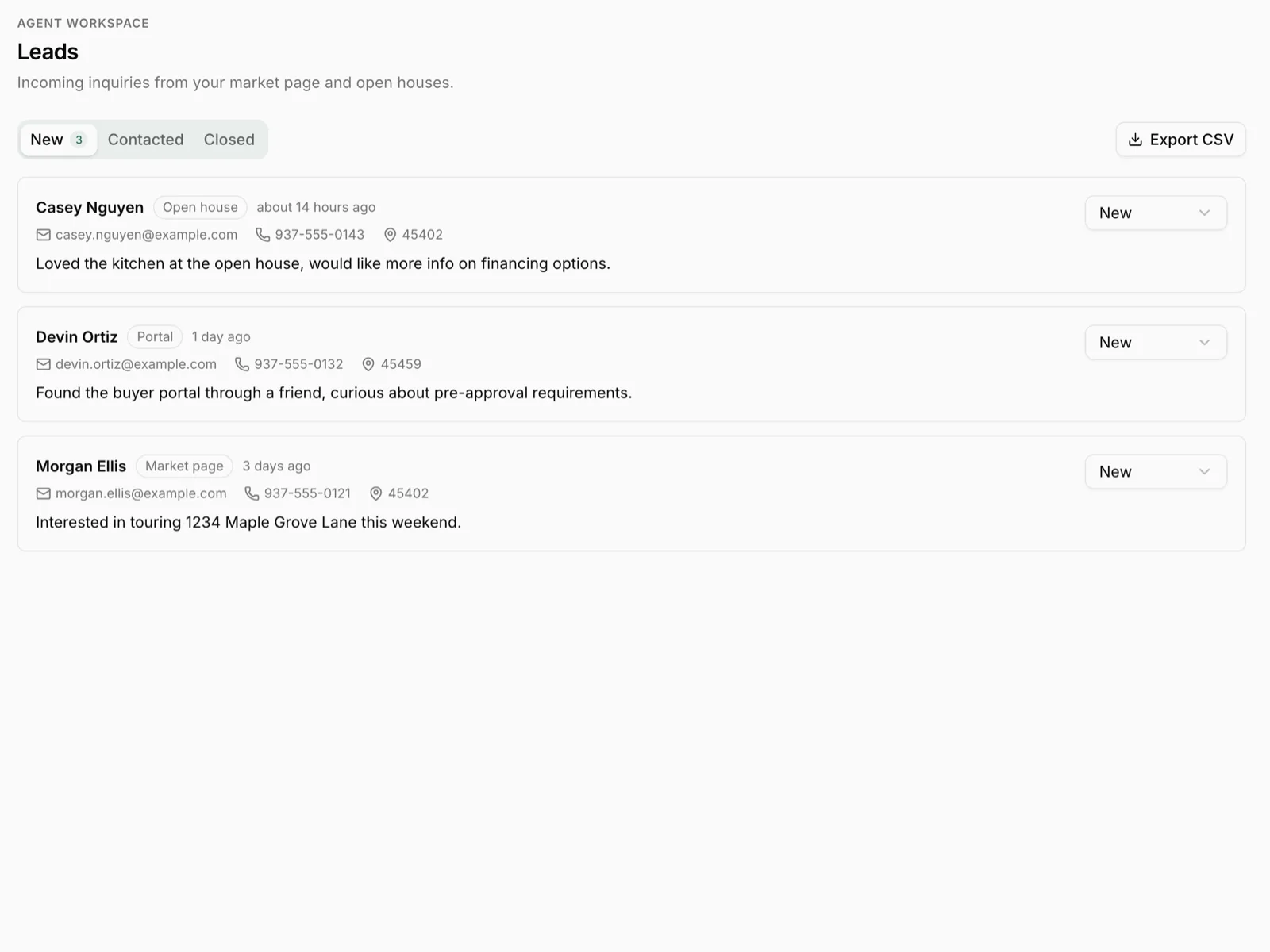
Home value forms, open house sign ins and your market page all land in the same inbox.
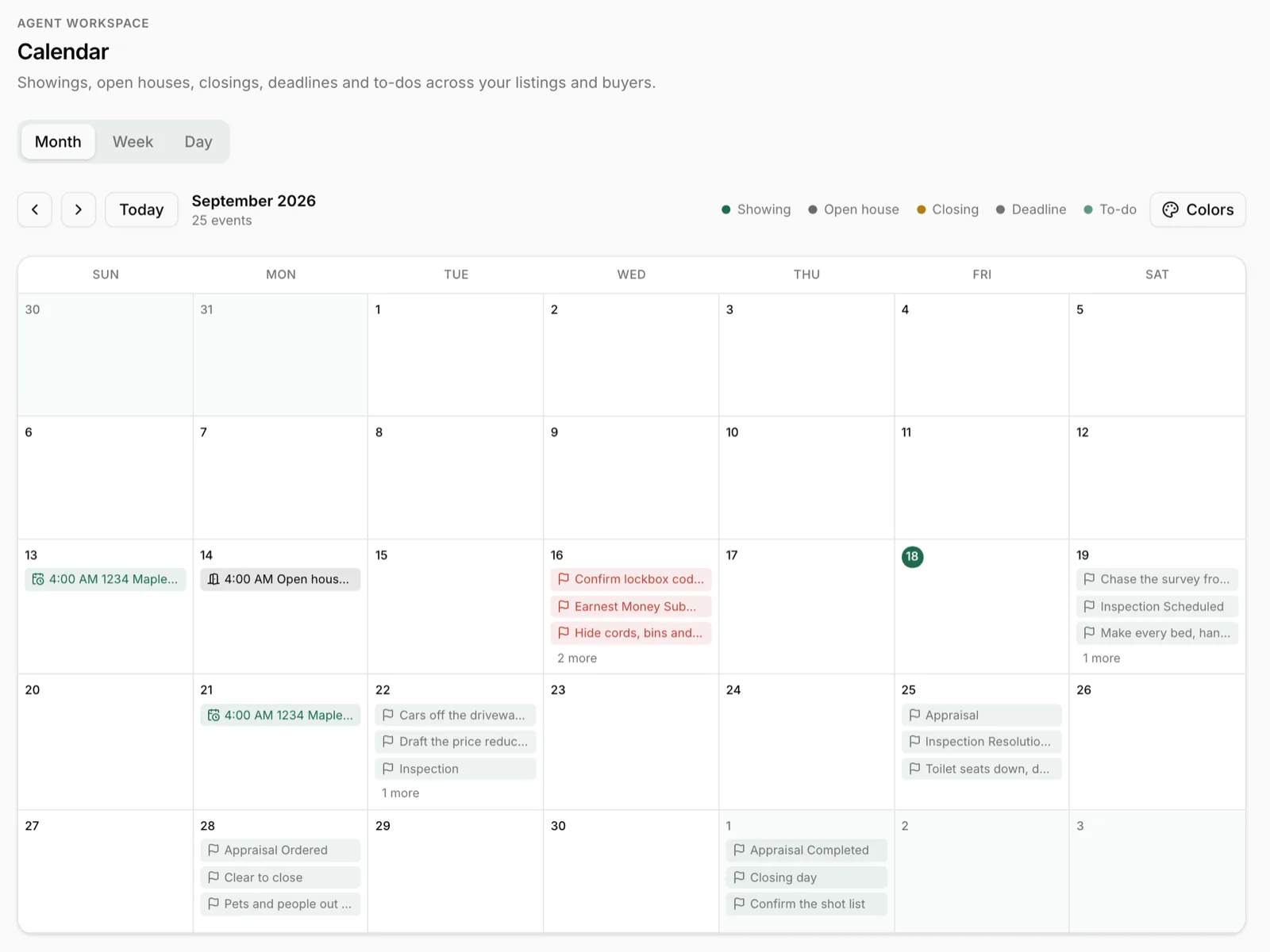
Deal dates push to Google Calendar and edits pull back in. ShowingTime appointments file themselves every thirty minutes.
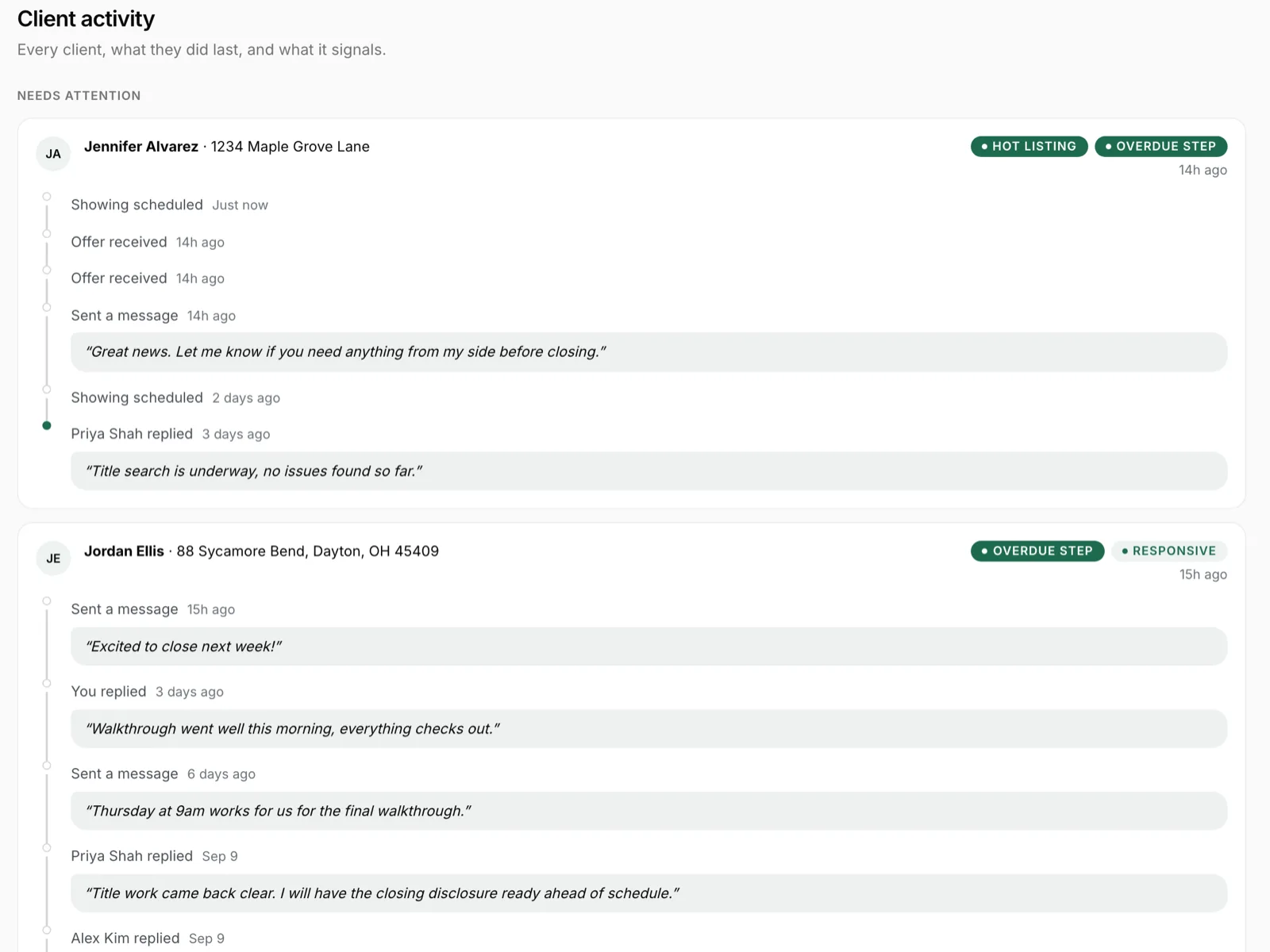
Every portal open, step, message, showing and offer, tagged by intent, so you know who is engaged before you call.
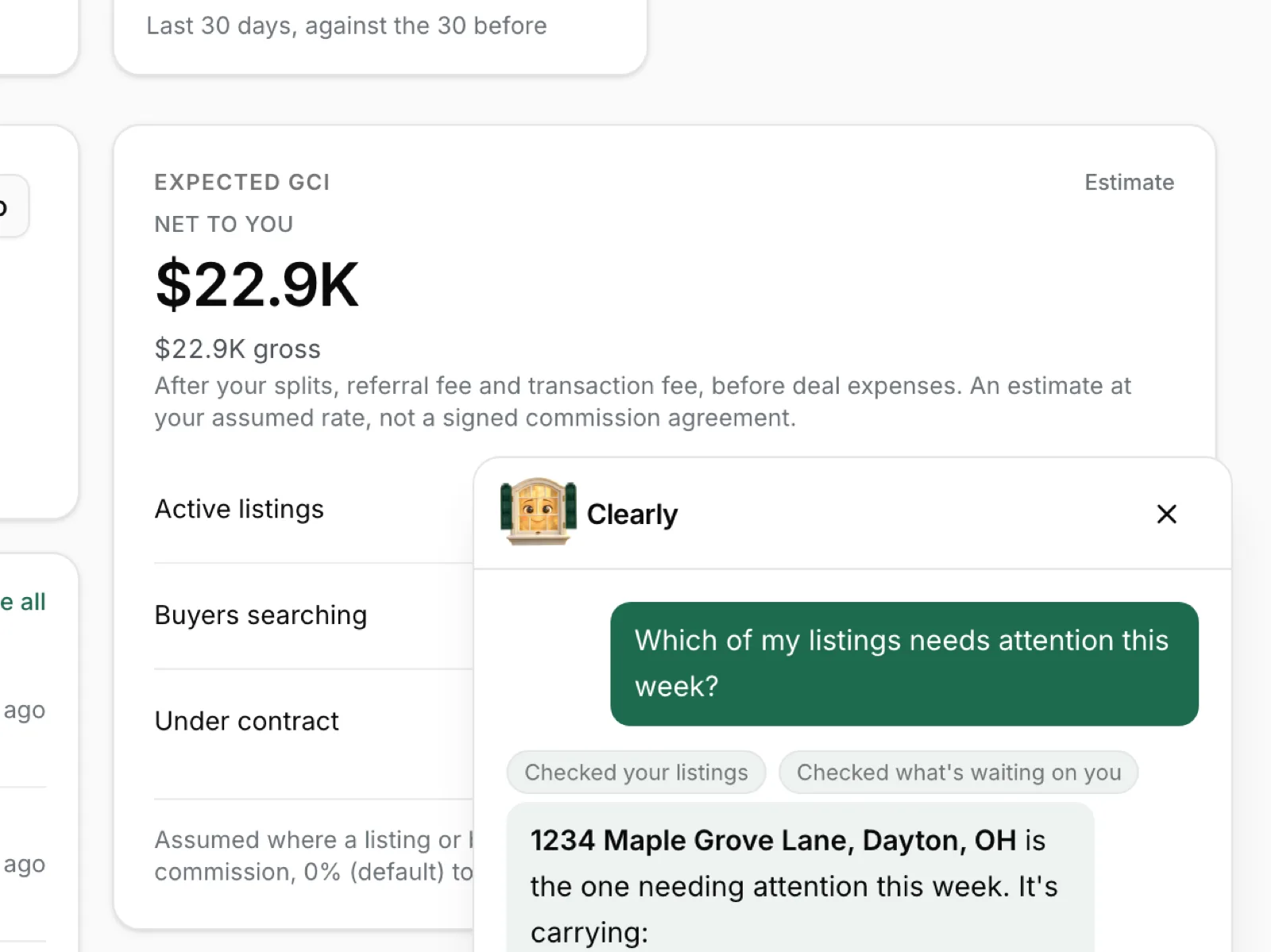
Voice or text. Answers come from your data only, scoped to what you can see.
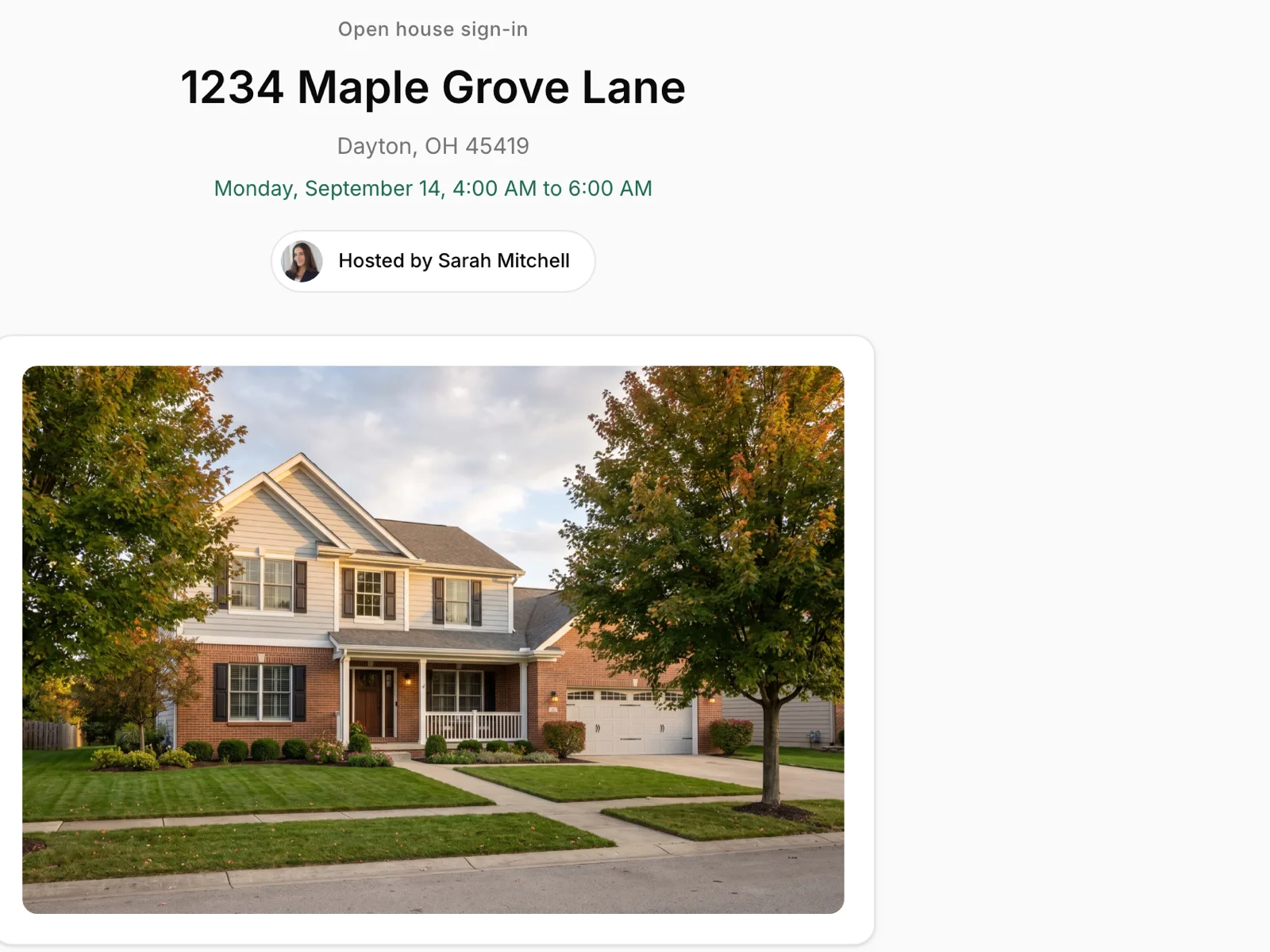
A QR sign in sheet on a stand. Visitors land as leads, not on a clipboard.
Connect ShowingTime once. Every appointment files itself onto the right listing or buyer every thirty minutes, pushes to your Google Calendar, and shows up on the client's portal with the feedback that follows.
 ShowingTime
 Your calendarShowingTime
 Follow Up Boss
 LoftyGoogle Calendar
 Zapier
 FRED market data
 Realtor.com researchRequest an integrationShowingTimeFollow Up BossLoftyGoogle CalendarZapierFRED market dataRealtor.com researchRequest an integrationShowingTimeFollow Up BossLoftyGoogle CalendarZapierFRED market dataRealtor.com researchRequest an integrationShowingTimeFollow Up BossLoftyGoogle CalendarZapierFRED market dataRealtor.com researchRequest an integrationShowingTimeFollow Up BossLoftyGoogle CalendarZapierFRED market dataRealtor.com researchRequest an integrationShowingTimeFollow Up BossLoftyGoogle CalendarZapierFRED market dataRealtor.com researchRequest an integration
 Integrations are built on demand. Ask for one from Settings and it lands in our queue.
One page under your brand, with the actions a client actually wants: save your contact, ask what their home is worth, see your open houses, read your market report.
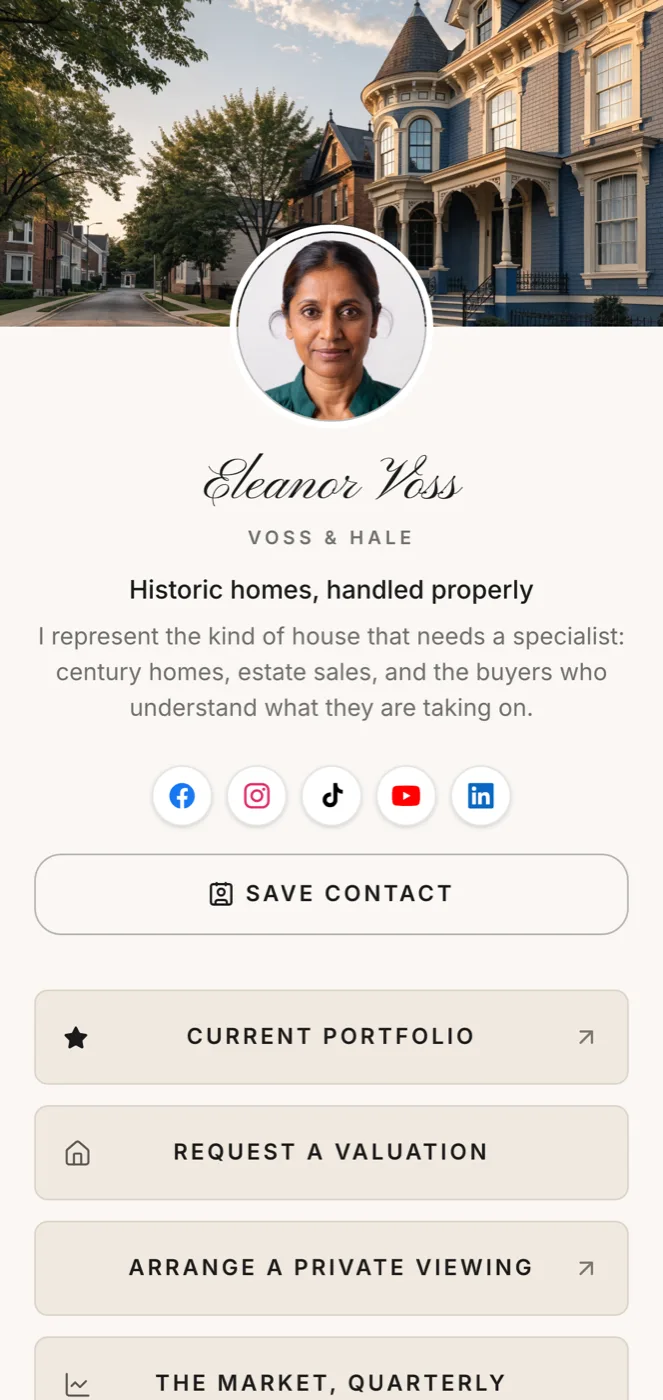
Everything a client will ask for and everything you need to run the deal, in one subscription, under your name.
What the seller sees, under your name.
What the buyer sees, from contract to keys.
Your workspace, and what runs in the background.
One page for every profile, sign and card.
You never had time for all of your accounts. Now they keep themselves up.
A social media studio inside your workspace. It writes a post once and sends it in the right shape to each network, makes branded graphics from your own listing photos, and puts every comment and message in one inbox.
-

-
-

-

-

-

-
-
-

-
-

-
See the Social Studio